

03.2026 Life Guide
The Forgotten Digital Door Lock
Far Eastern New Century Corporation / Chen Fangyu

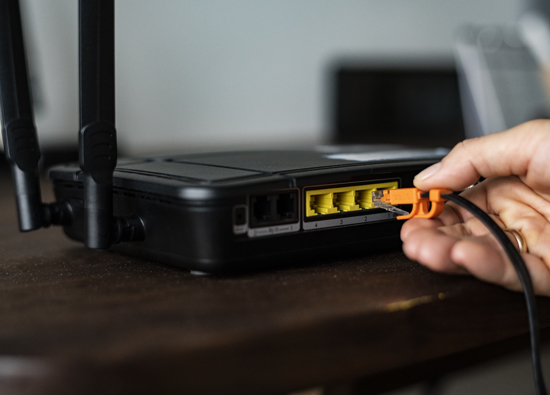
 We remind ourselves every day not to randomly click on links or download unknown files, but we may forget that there is a network device at home that has not been noticed since the day of installation - the "home network gateway", commonly known as the "little turtle". It holds the gateway to all your online activities, and when one day the police or bank call and accuse your IP of involvement in a fraud case, the real problem may lie in that small box that silently flashes a light but has never been cared for.
The overlooked first door lock
In most households, network devices are usually stuffed into dust piles behind TV cabinets or in corners. As long as the Wi Fi is stable and the TV is not stuck, everything feels normal. Only when the device burns out or the network is disconnected, the user will immediately call for repairs.
People are willing to spend a lot of money to buy the latest phones and update app vulnerabilities every day, just like adding countless precision locks to bedroom doors, but this machine that controls all exports of phones, computers, and even smart home devices still uses the "old locks" from 5-10 years ago. Little did they know that although the appearance of the machine still looks intact and operates smoothly, this device, which represents the "first door lock" of the house, is not really safe.
Recent research has found that many devices that are still in service have stopped updating (EOL) from their original manufacturers. Just like the door lock at home, which can be pried open with a paperclip at any time, the locksmith tells you, 'This lock is too old and doesn't have any parts to repair, so just keep using it.' In this situation, you think the door is closed, but the risk has already quietly accumulated.
This type of risk is not immediately felt like poisoning or fraud, as there are no warning windows or notifications of account theft, so many families never notice any abnormalities. This' unconscious danger 'is precisely the most vulnerable gray area of home networks.
Not only the internet, but also your identity has been 'borrowed'
Perhaps you think, 'I'm not an important person, what can hackers do when they come in?' The answer is simple: what they want is not you, but your online identity. Once the device is hacked, the other party can use your network to send scams, test hacks, and attack other websites. The real attacker is hiding in the distance, but what leaves a record is your home IP. When the truth comes out, the pressure will start to fall on you - your account will be restricted, your services will be suspended, and you have to explain one by one which devices are in your home, who was using the network that day, and what model of router it is. The long process of self proving innocence is the most exhausting.
It's not that you were careless, but that no one reminded you
The security of home network devices is a hidden risk that has been overlooked for a long time. After all, hardware vendors only sell devices, telecom providers only focus on network connectivity, and operating system vendors only focus on computer security. This box is stuck in the middle, with no one reminding it to update, no one teaching it how to set passwords, and many people even have no idea where its management interface is. This is not a personal negligence, but a lack of "reminder mechanism" in the entire technology ecosystem. But now, you have been reminded. Knowing the existence of risks is the most important first step.
Three steps to check your 'little turtle'
Many people may feel anxious: 'I don't understand these things at all, what should I do?' Rest assured, you don't need to become an cybersecurity expert, just spend three minutes confirming three things:
Know the device model
Flip to the back of the device, take a picture of the model and manufacturing year on the sticker, or search for "model+discontinued support" on Google. After obtaining the results, please contact the telecom operator or equipment manufacturer to confirm if it is possible to replace the device with a new one or update the firmware.
Account password or 'factory default value'?
Check if the management account password on the sticker is still "admin". If so, it means anyone can easily log in. You can change your password by entering the URL on the sticker (usually 192.168.1.1) in the browser; If unable to operate, please ask the manufacturer for remote assistance in teaching.
Enable 'Automatic Update'
If you purchase a router by yourself, please enter the settings screen and confirm whether "automatic check for updates" is turned on. This can help the small box learn to "change locks on its own" and automatically block the latest vulnerabilities.
Cybersecurity, starting from the doorstep
That quiet and dusty little device is not just "plug it in", but the first door guarding digital life. Tonight when you go home, why not look down at the small box with the flashing light and confirm: Is its lock really locked?
Image source: freepik
#